Ordering takes about two minutes. You pick what the server is for, the hardware line, the size and where it lives, then pay by card. The server is created as soon as the payment is confirmed.
- Pick the platform
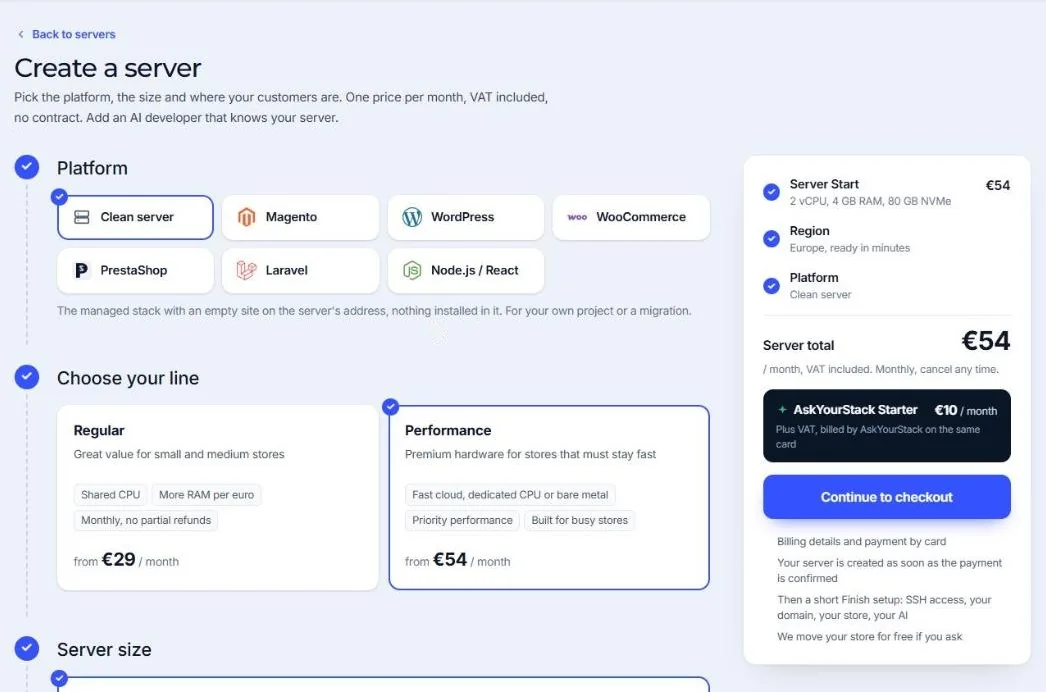
Choose Magento, WordPress, WooCommerce, PrestaShop, Laravel, Node.js / React or a Clean server. The platform decides what is installed in the first application. A clean server has the full managed stack with an empty site, for your own project or a migration.
- Choose the lineRegular is great value for small and medium stores (shared CPU, more memory per euro). Performance is premium hardware for stores that must stay fast under load (dedicated CPU or bare metal). See Regular or Performance.
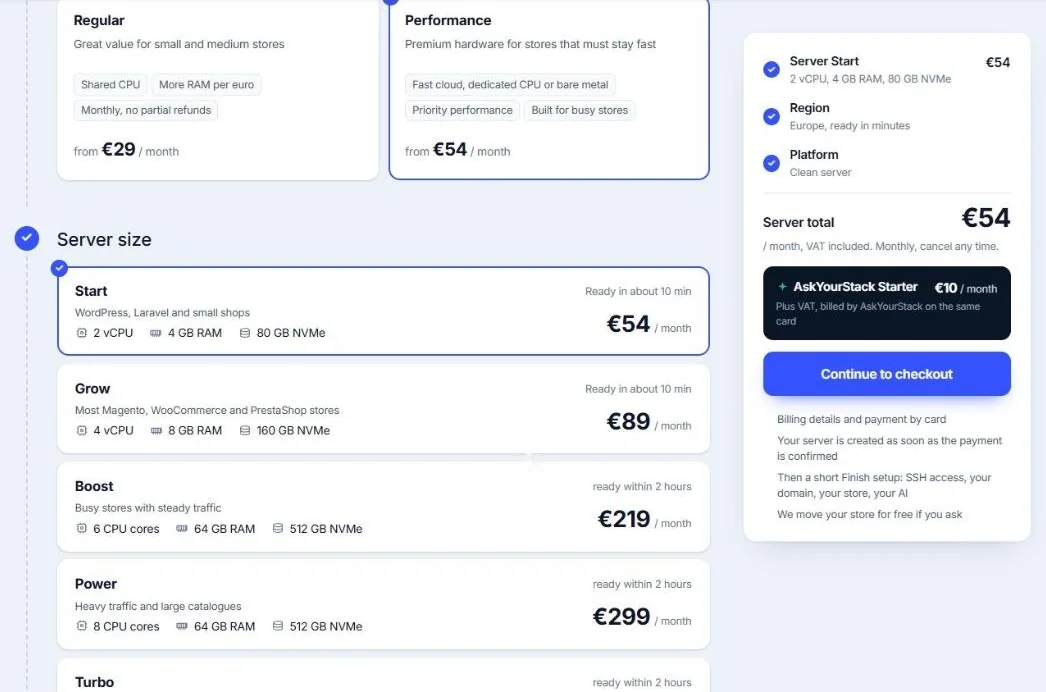
- Choose the size
Each size lists its CPU, memory and NVMe disk, what it suits and how soon it is ready. Cloud sizes are ready in about 10 minutes; bare metal sizes within 2 hours.
- Choose the region
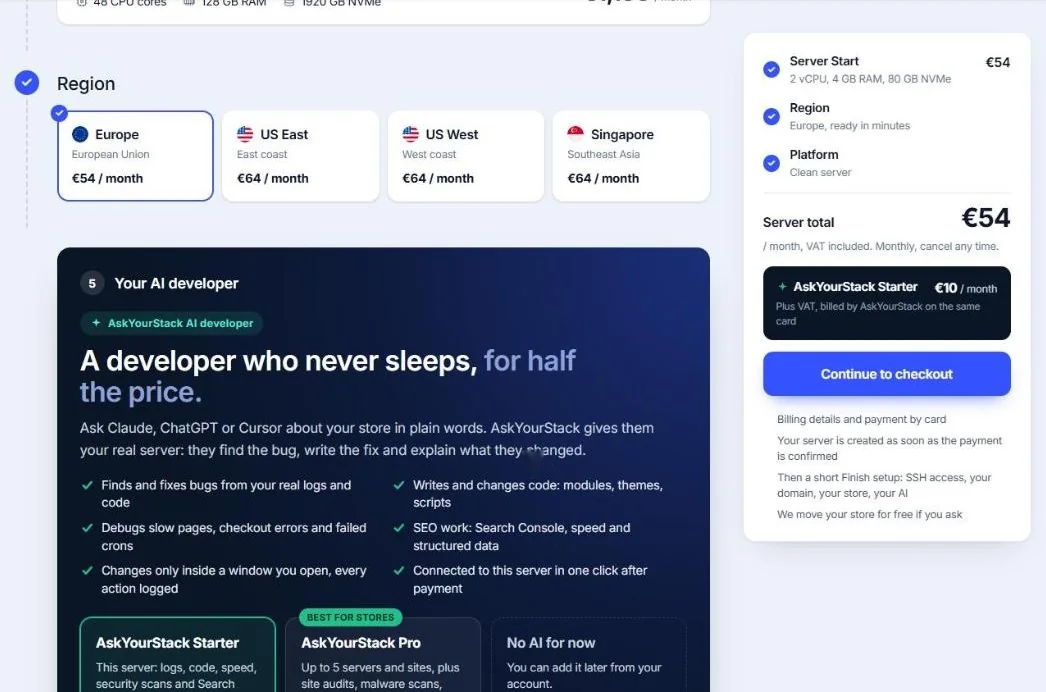
Europe, US East, US West or Singapore. Pick the region closest to most of your customers. The price per region is shown on each card.
- Add your AI developer (optional)
AskYourStack lets Claude, ChatGPT or Cursor work on your server with you. You can add it later from the console.
- Continue to checkout
Billing details, then payment by card. Prices include VAT and are monthly, with no contract.
After the payment
You get an email when the server is ready, and it appears under Servers in the console with the status Ready. Open it and follow Finish setup: four short steps to get your store live.
Moving an existing store? Tell us in a ticket after ordering. We move stores for free; see Moving an existing store.
Can I change later?
Yes. Applications, PHP versions, domains and every setting can change at any time. To move to a bigger size or another line, open a ticket and we plan the move with you; see When to move to a bigger server.
Did this solve it? If not, tell us what you see and we look at your server.
Open a ticket