A Gen2 server is a server that runs only your stores, set up and looked after by us, and run from your ShopWhizzy console. There is no shared hosting and no control panel to learn: every setting you need is a button in the console, and everything else is our job.
The short version
Not shared hosting: the server runs only your applications, with the CPU, memory and disk of your plan.
We install, harden, update and watch the server. Security updates are applied automatically every day.
One server holds as many applications as it can carry: Magento, WordPress, WooCommerce, PrestaShop, Laravel or plain PHP.
Every night our backup NAS pulls the files and databases of every application and keeps 7 nights.
What runs on the server
Every Gen2 server runs the same tested stack. You do not have to install or tune any of it.
| Part | What it does |
|---|---|
| Rocky Linux 9 | The operating system, with SELinux enforcing and daily automatic security updates. |
| nginx | The web server. It ends HTTPS, serves images and files, and runs the protection against bots and overload. |
| PHP-FPM | PHP 7.4 to 8.4. Each application has its own pool, Linux user, PHP version and limits, so one store cannot read or slow down another. |
| MariaDB | The database server, tuned for the memory of your server. |
| Redis | Two instances: one for Magento's cache, one for sessions that is never emptied, so carts survive a full cache. |
| Varnish | Optional, per Magento store: full pages served from memory. |
| OpenSearch | Search engine for Magento, installed when a Magento store needs it. |
| Let's Encrypt | Free SSL certificates, issued and renewed on their own. |
| Postfix and Dovecot | Email for your domains, when you turn it on. |
| Firewall, fail2ban, ClamAV | Closed ports, automatic bans for attackers and on-demand malware scans. |
Servers and applications
The console has two levels. A server is the machine: its graphs, services, backups, firewall and team. An application is one site on that server: its domains, PHP version, databases, SFTP users, caches, protection and staging copy. Most daily work happens on the application page.
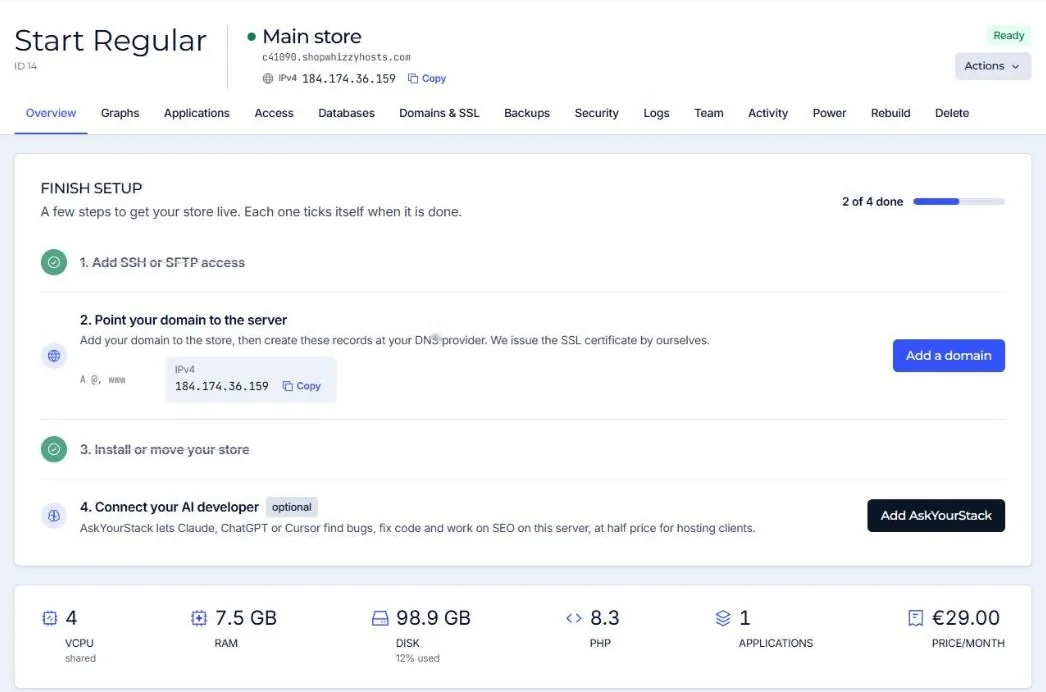
What we look after, and what you do
| We look after | You decide |
|---|---|
| Operating system, packages and security updates | Which applications run on the server |
| nginx, PHP, MariaDB, Redis, Varnish set-up and tuning | Domains, PHP version and PHP settings per application |
| Firewall, fail2ban, SSL renewals, bot protection defaults | Who in your team can open what |
| Nightly backups and the restore path | When to restore, and what (files, database or both) |
| Monitoring, blacklists, disk and service health | Your store's code, extensions and content |
Your store's own code is yours. We keep the server healthy and help when something breaks; changes to the store itself (extensions, themes, upgrades) are done by you, your developer, or our team with support hours.
Gen2 and classic servers
Servers created before Gen2 (classic servers) keep working and stay in your console. The guides in Magento and classic servers are written for them. Everything else in this knowledge base is about Gen2.
Did this solve it? If not, tell us what you see and we look at your server.
Open a ticket