A staging copy is a full clone of the application on the same server: files, databases, configuration and SSL, at its own address. Try changes there first.
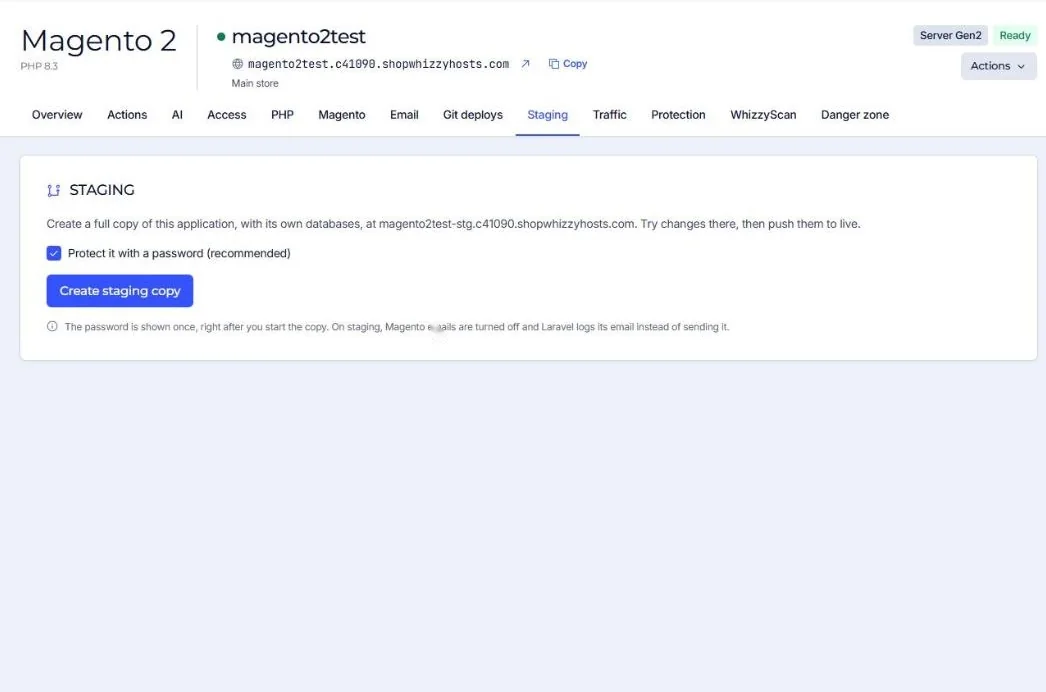
- Create the copy
On the Staging tab press Create staging copy. Keep Protect it with a password ticked. The copy is called
<app>stgand opens at<app>-stg.<your server>. - Save the password
The staging password (user
staging) is shown once, right after you start the copy. - Work on staging
Upload code, install extensions, run upgrades. Staging has its own database and its own SFTP users.
- Push to live
Choose files, database or both.
What push to live does
- Live is backed up first: off-site when you have a bucket, otherwise a local database dump.
- By default live keeps its own configuration (
env.php,wp-config.php,.env) and its own media. - For Magento the normal deploy steps follow: setup:upgrade when needed, compile, full static content deploy and a cache flush.
Pushing the database replaces live's database with staging's. Orders and customers created on live since the copy are lost. For a live store, push files only and repeat database changes on live by hand.
Staging is safe to share: search engines are told not to index it (noindex), Magento email is turned off and Laravel logs mail instead of sending it.
Did this solve it? If not, tell us what you see and we look at your server.
Open a ticket