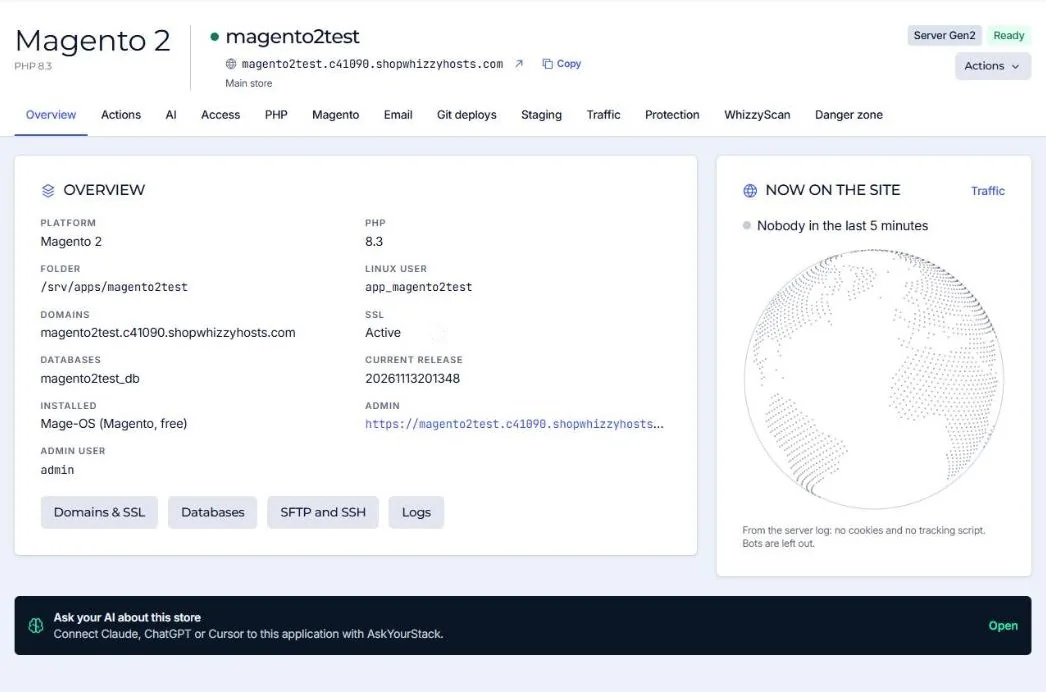
The Overview tab of an application answers the questions developers ask first: where the files are, which user runs them and how to get in.
| Field | Meaning |
|---|---|
| Folder | Where the application lives, for example /srv/apps/shop. Code is in current/; shared files (media, logs, env.php) in shared/. |
| Linux user | The user PHP and cron run as, for example app_shop. SFTP users of the application see the same files. |
| Current release | For Magento and Laravel: the release folder that is live. A deploy builds a new one and switches in one step. |
| Now on the site | People on the site in the last 5 minutes, from the server log: no cookies and no tracking script. Bots are left out. |
Did this solve it? If not, tell us what you see and we look at your server.
Open a ticket