Connect an application to a Git repository and deploy a branch from the console. For Magento every deploy builds a complete new release and switches to it in one step, so visitors never see a half-built store.
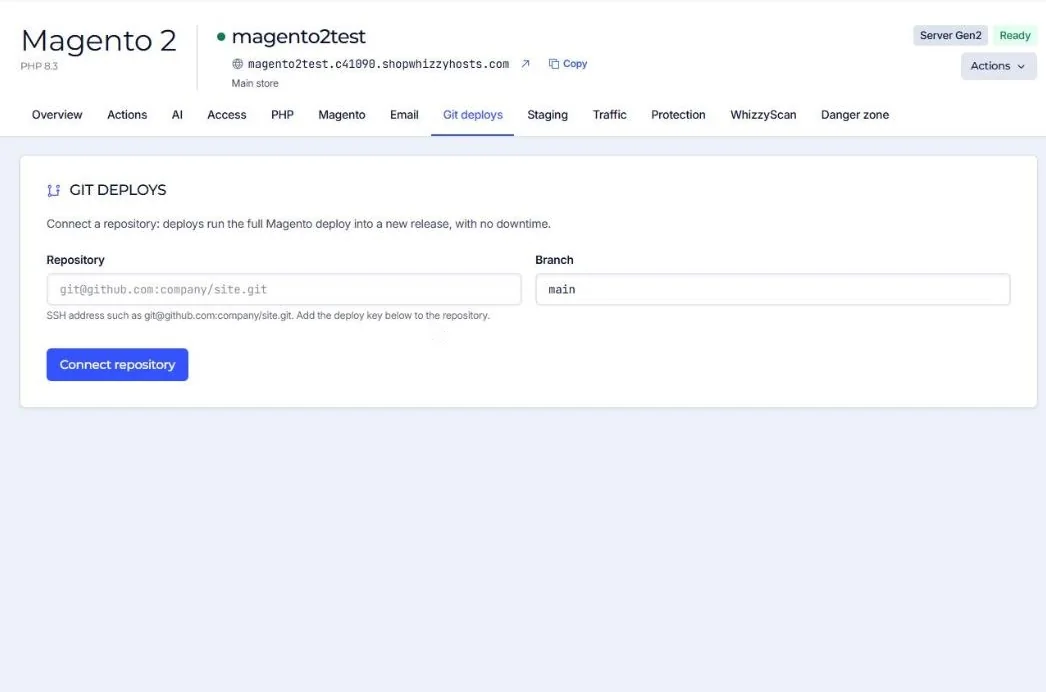
- Connect the repository
Enter the SSH address (for example
git@github.com:company/site.git) and the branch. - Add the deploy key
The console shows a public key created for this application. Add it to the repository as a read-only deploy key (GitHub: Settings, Deploy keys).
- Deploy
Press Deploy. The log shows each step.
What a Magento deploy does
- Fetches the code into a new folder under
releases/. - Links the shared paths:
app/etc/env.php,pub/media,var/logand the other folders that must survive deploys. - Runs
composer install,setup:di:compileand a fullsetup:static-content:deploy. - Runs
setup:upgradeonly when the database or configuration needs it (maintenance mode only for that step), after a database backup. - Switches
currentto the new release, flushes the cache and reloads PHP. - Keeps the last 5 releases.
Roll back
A rollback points current back to a previous release. It changes the code only, not the database.
Other platforms deploy either into a new release folder or by updating the code in place, with optional composer install and an npm build.
Did this solve it? If not, tell us what you see and we look at your server.
Open a ticket