Each application has its own PHP settings on its PHP tab. Changes apply in seconds, with no downtime.
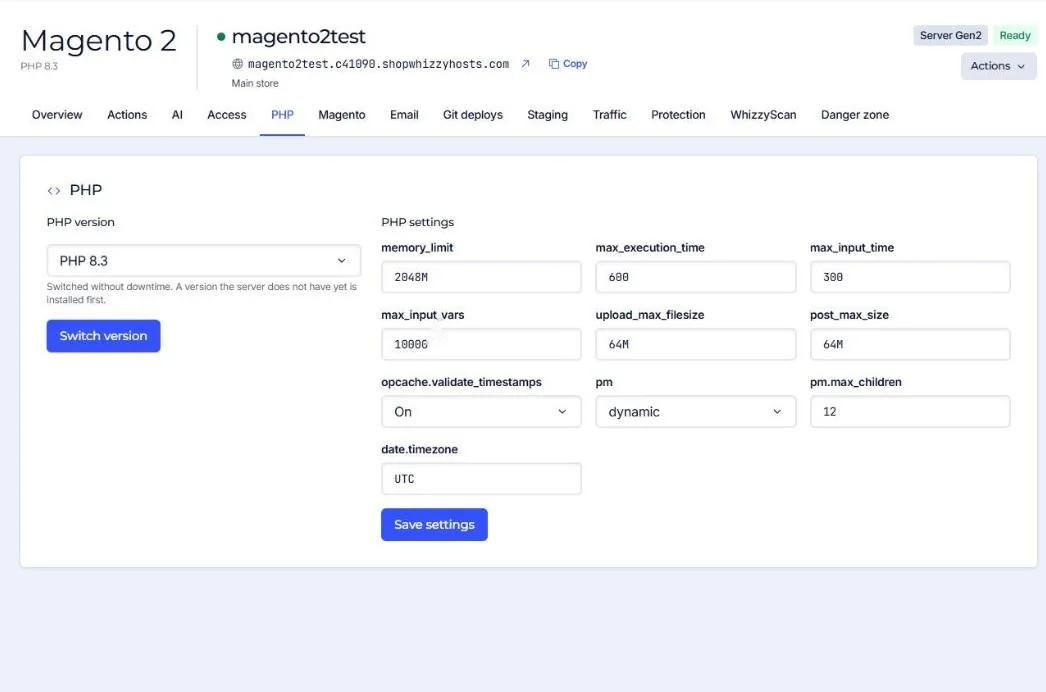
| Setting | Magento default | WordPress default | What it does |
|---|---|---|---|
| memory_limit | 2048M | 512M | The most memory one PHP request may use. |
| max_execution_time | 600 | 300 | Seconds before a request is stopped. |
| max_input_time | 300 | 300 | Seconds to receive a request (uploads). |
| max_input_vars | 10000 | 10000 | Fields in one form. Large Magento forms need many. |
| upload_max_filesize / post_max_size | 64M | 128M | Largest upload. |
| opcache.validate_timestamps | On | On | Off makes PHP faster but code changes only show after a cache flush. |
| pm | dynamic | ondemand | How PHP workers start: always some ready (dynamic) or only when needed (ondemand). |
| pm.max_children | 12 | 10 | The most PHP requests this application runs at the same time. |
| date.timezone | UTC | UTC | Time zone for PHP. |
Raising pm.max_children lets more requests run at once, but each one uses memory. Too many workers for the memory makes the server swap and everything slows down. See PHP workers and memory.
Did this solve it? If not, tell us what you see and we look at your server.
Open a ticket