Every night our backup NAS connects to your server and pulls the files and databases of every application. Seven nights are kept. Nothing to set up and nothing to pay extra.
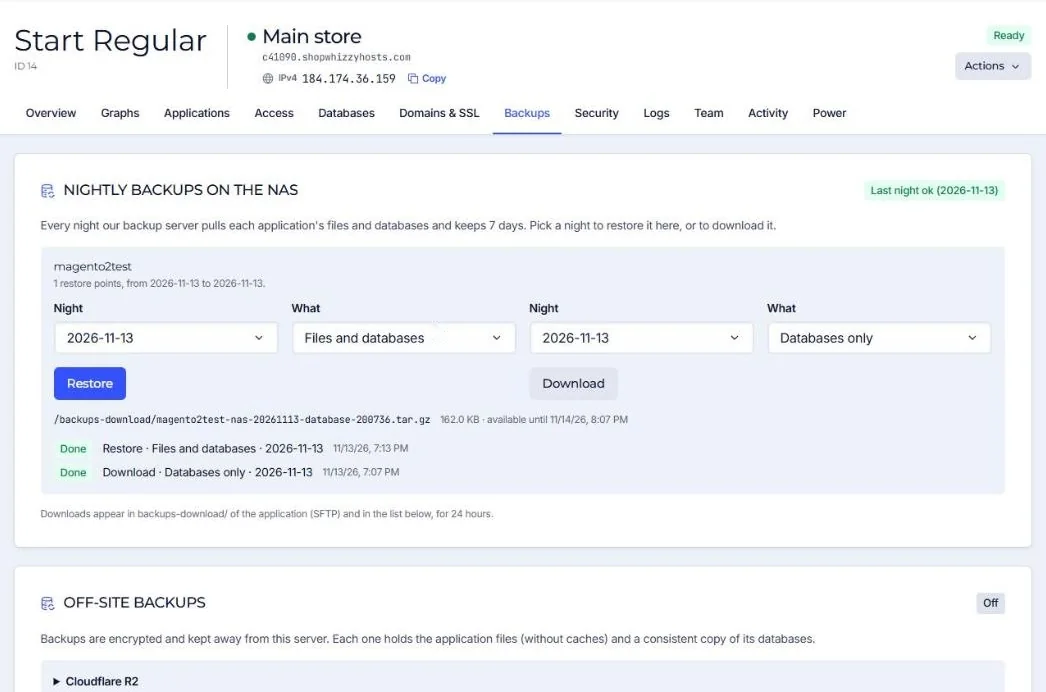
What is in a backup
| Included | Left out |
|---|---|
| All application files (code, media, configuration) | Caches and generated files that rebuild themselves (var/cache, var/page_cache, generated, pub/static, wp-content/cache) |
| A consistent dump of every database | |
| Server configuration managed by the platform |
Safe by design
- The NAS pulls the backup; your server cannot reach or delete it. A hacked server cannot destroy its own backups.
- The NAS is in a different place from the servers.
- Database dumps are taken without locking the tables, so the store stays online.
Your own bucket (optional)
For a second copy under your own control, connect an S3-compatible bucket or Cloudflare R2: see Off-site backups to your own bucket.
Did this solve it? If not, tell us what you see and we look at your server.
Open a ticket