A 500 or a white page means the store's PHP code stopped with an error. The error message is in a log; once you have it, the fix is usually clear.
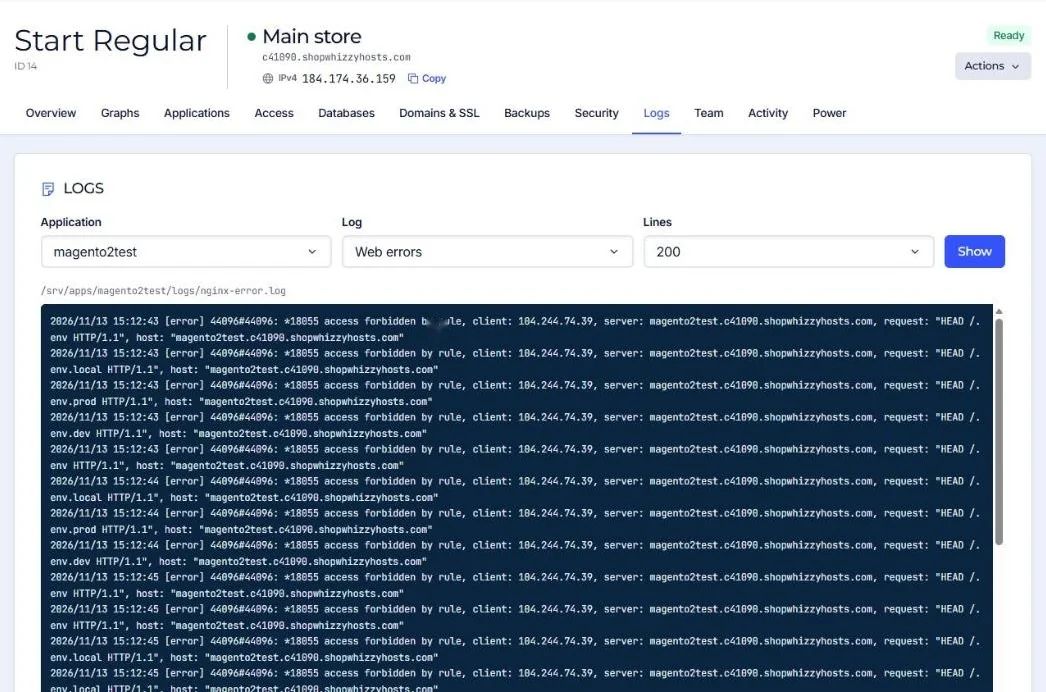
| Platform | Where to look |
|---|---|
| Every application | Logs tab, PHP errors and Web errors. |
| Magento | Logs tab, Magento exception.log and system.log. A page saying Error log record number points to a report file in var/report. |
| WordPress | Turn on WP_DEBUG_LOG and read wp-content/debug.log. |
| Laravel | storage/logs/laravel.log. |
Usual causes
- Code uploaded without running compile and static deploy (Magento production mode).
- An extension that does not support the PHP version.
- memory_limit reached on a heavy page.
- Wrong file uploaded or a missing file after a partial upload.
Did this solve it? If not, tell us what you see and we look at your server.
Open a ticket