Blocks are per application and take effect within seconds. Blocked visitors get their connection closed without an answer.
- Find who to block
The Traffic tab lists the top addresses and user agents of the last hours, with known bots marked. Each row has a Block button.
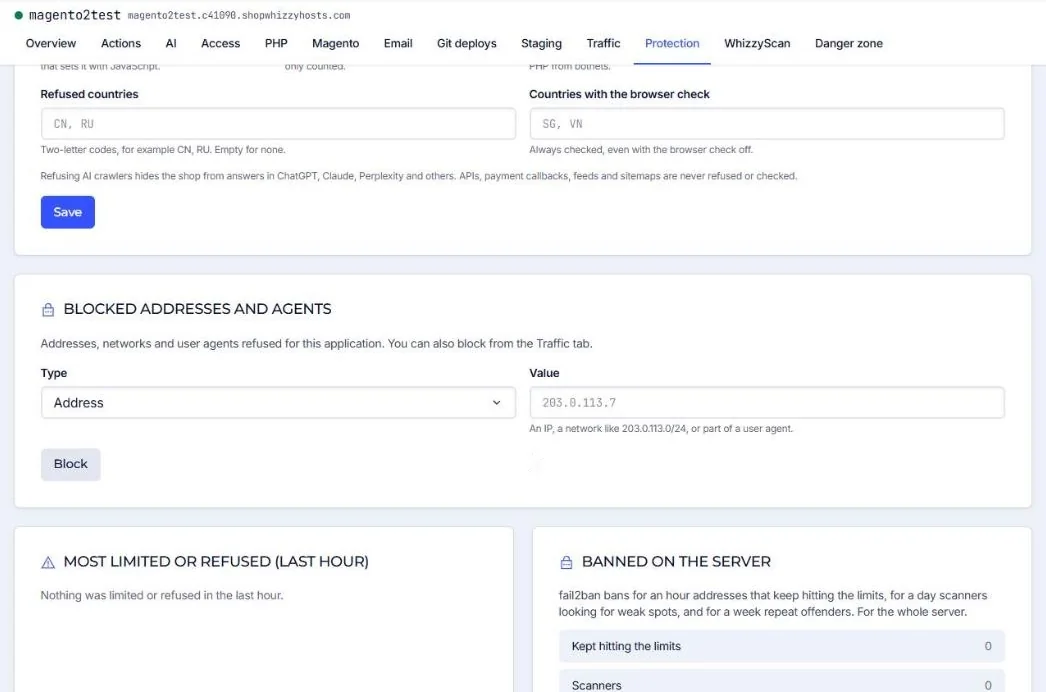
- Or block by hand
Protection tab, Blocked addresses and agents: choose Address (203.0.113.7), Network (203.0.113.0/24) or User agent (part of it, at least 3 characters, for example
MJ12bot). - Undo
Each block in the list has an Unblock button.
Never block search engines by user agent (Googlebot, bingbot): bad bots fake those names, real ones are recognised by address and are never limited anyway.
For the whole server (all applications and SSH), use a firewall rule instead: see Firewall rules.
Did this solve it? If not, tell us what you see and we look at your server.
Open a ticket