Each SFTP or SSH user belongs to one application and only sees its folder. Give every person their own user, so you can remove one without changing anyone else's access.
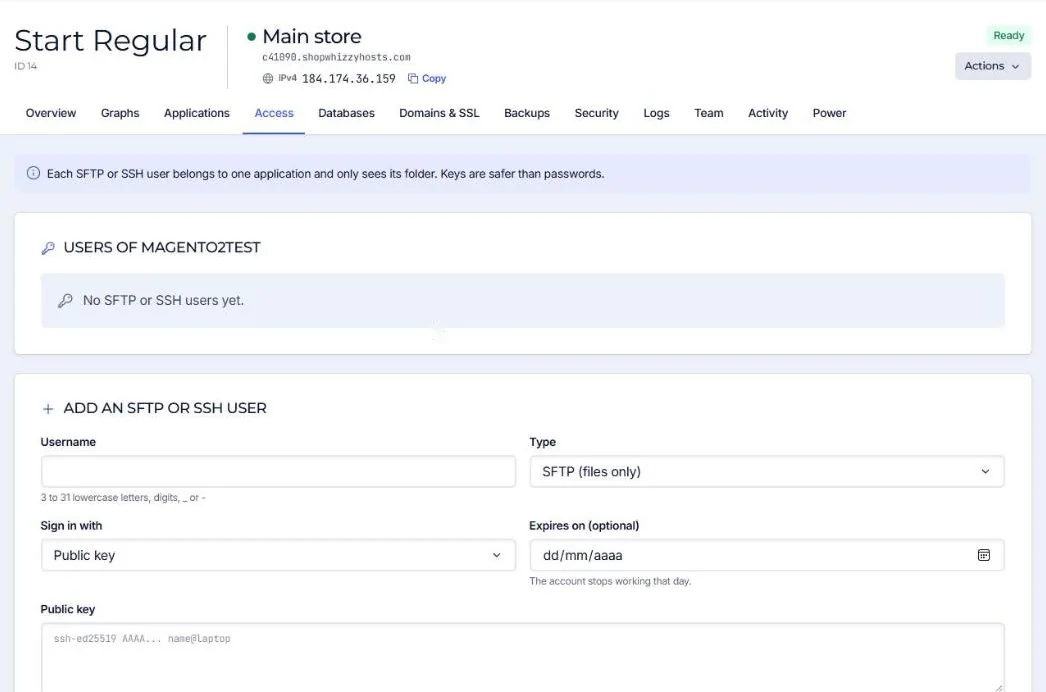
| Field | Choices |
|---|---|
| Username | 3 to 31 lowercase letters, digits, _ or -. |
| Type | SFTP (files only) or SSH (files and a shell, for Composer, bin/magento, WP-CLI). |
| Sign in with | Public key (recommended), password, or both. |
| Expires on | Optional: the account stops working that day. Ideal for freelancers. |
Connection details
| Host | The server's hostname or IPv4 address |
| Port | 22 |
| Protocol | SFTP (not FTP) |
| Folder | /srv/apps/<application>; the live code is in current/ |
Files uploaded by any user of the application belong to the application's own user, so PHP can always read them. No more permission problems after an upload.
Keys are safer than passwords: see Create and use an SSH key.
Did this solve it? If not, tell us what you see and we look at your server.
Open a ticket