MariaDB only listens on the server itself by default. When a tool on your computer or another server needs the database, open it here: to specific addresses (recommended) and only for the users that need it.
- Open MariaDB
Databases tab, Remote MySQL access: enter the addresses or ranges that may connect (for example
203.0.113.7 198.51.100.0/24) and press Open MariaDB. - Allow the user
On the database user, press Allow remote. A twin of the user that may connect from outside is created with the same password.
- Connect
Host: the server's IPv4 address. Port 3306. The user and its password.
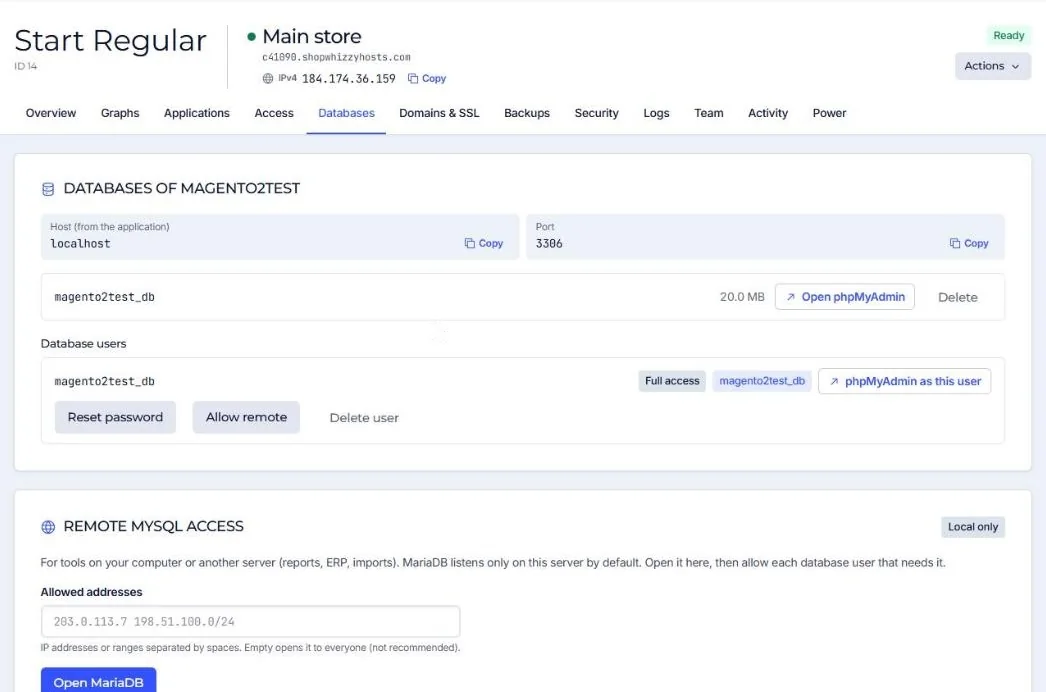
Leaving the address list empty opens port 3306 to the whole internet. Database servers are scanned constantly; always list your addresses.
To close it again press Local only, and remove remote access per user with the same button.
Did this solve it? If not, tell us what you see and we look at your server.
Open a ticket