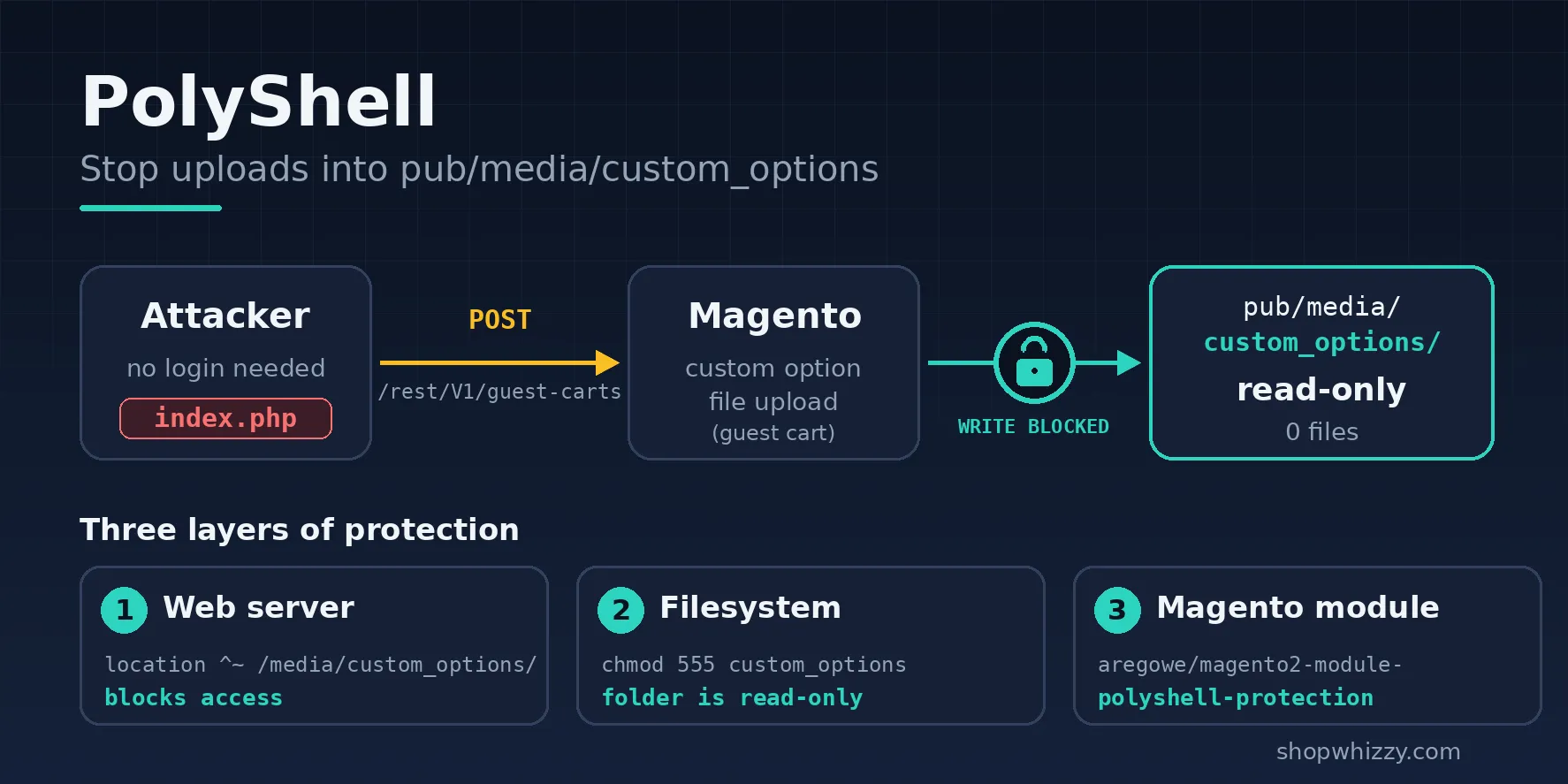
A Magento security patch is a release that fixes vulnerabilities without adding features, and the only safe way to apply one is to test it on a copy of your store first. Adobe announces each one in a security bulletin with an ID such as APSB26-138. Knowing how to read that bulletin, and which kind of fix you need, is what separates a quiet afternoon from an emergency.
This guide explains the bulletins, the three kinds of security fixes, which Magento versions still receive them, and a safe way to apply them.
How to read an Adobe security bulletin
Every bulletin on Adobe's security page has the same parts:
- Bulletin ID, such as APSB26-138. "26" is the year.
- Priority, from 1 to 3. It reflects how likely attackers are to target the issue, not only how severe it is. Priority 1 means act now.
- Affected versions: every release line and the last vulnerable release in each.
- Vulnerabilities: each CVE with its type (for example security feature bypass or privilege escalation), its severity and whether authentication is required to exploit it.
- Exploited in the wild? If Adobe says yes, assume automated attacks are already running.
An example: Adobe published APSB26-138 on September 8, 2026 for critical, important and moderate issues. The day before, it had released a separate critical update, APSB26-146, with a hotfix for CVE-2026-75650 that stores had to apply in addition.
The three kinds of security fixes
| Type | What it is | When you need it |
|---|---|---|
| Security release | A full release of your version line with all security fixes so far. Older releases were numbered with -p (2.4.8-p5); since mid-2026 Adobe also names monthly security updates by date, such as 2.4.8-2026-aug. | Routinely, every time one comes out. |
| Isolated hotfix | A single patch file for one critical vulnerability, applied on top of your current version. | When a critical issue is published and you cannot do the full release right away. |
| Version upgrade | Moving to a newer minor version, such as 2.4.7 to 2.4.9. | When your version line is close to the end of support. |
An isolated hotfix is a stopgap, not a substitute. Adobe states plainly that a hotfix does not address all the security issues fixed by the latest release.
Which Magento versions still get security fixes?
Adobe supports each 2.4.x line for about three years from its release. As of October 2026:
| Version | Released | Regular support ends |
|---|---|---|
| 2.4.9 | May 12, 2026 | May 31, 2029 |
| 2.4.8 | April 8, 2025 | May 31, 2028 |
| 2.4.7 | April 9, 2024 | May 31, 2027 |
| 2.4.6 | March 14, 2023 | Ended August 11, 2026 |
| 2.4.5 and older | 2022 and earlier | Ended |
Adobe Commerce (the paid edition) gets extended support and a security-only period on some older lines. Magento Open Source does not. If you run Open Source on 2.4.6 or older, you are no longer receiving regular fixes, and planning the upgrade should be your next step. Source: Adobe Commerce released versions.
How to apply a security release safely
- Check your version with
bin/magento --versionand compare it with the bulletin. - Read the release notes for changes in PHP, database or search requirements. Security releases sometimes raise them.
- Copy production to staging, including the database and media.
- Update with Composer on staging:
For Adobe Commerce, usecomposer require magento/product-community-edition=<new-version> --no-update composer update bin/magento setup:upgrade bin/magento setup:di:compile bin/magento setup:static-content:deploy bin/magento cache:flushmagento/product-enterprise-edition. - Test what earns money: search, product pages, cart, checkout with every payment method, order emails and the admin order grid.
- Release in a short maintenance window at your quietest hour, with a database and file snapshot taken just before.
- Watch the logs for 24 hours:
var/log/exception.log, cron and message queues.
Applying an isolated hotfix
Adobe publishes hotfixes as patch files with instructions in the bulletin or the related Knowledge Base article. Apply them on staging first, exactly like a release, and keep a record of every hotfix so you know what to remove when the full release replaces it.
Why it matters beyond hacking
- PCI DSS expects supported software and prompt security patching on any store that takes card payments.
- Payment providers may ask for evidence after a breach and can hold you liable.
- Every skipped release makes the next one bigger, with more extensions to update at once.
Frequently asked questions
How quickly should I patch?
For a Priority 1 bulletin or anything exploited in the wild, within days. For routine releases, within a few weeks, after testing on staging.
Can I patch without downtime?
Almost. The upgrade itself needs a short maintenance window, usually minutes, while the database schema updates and code is compiled.
How do I know if my store is unpatched?
Our free WhizzyScan checks your version against Adobe's bulletins and verifies high-risk vulnerabilities directly in your code.
Can you patch our store for us?
Yes. We apply security releases and hotfixes on staging, test them and deploy with a rollback ready. See our Magento upgrade and security patch service.